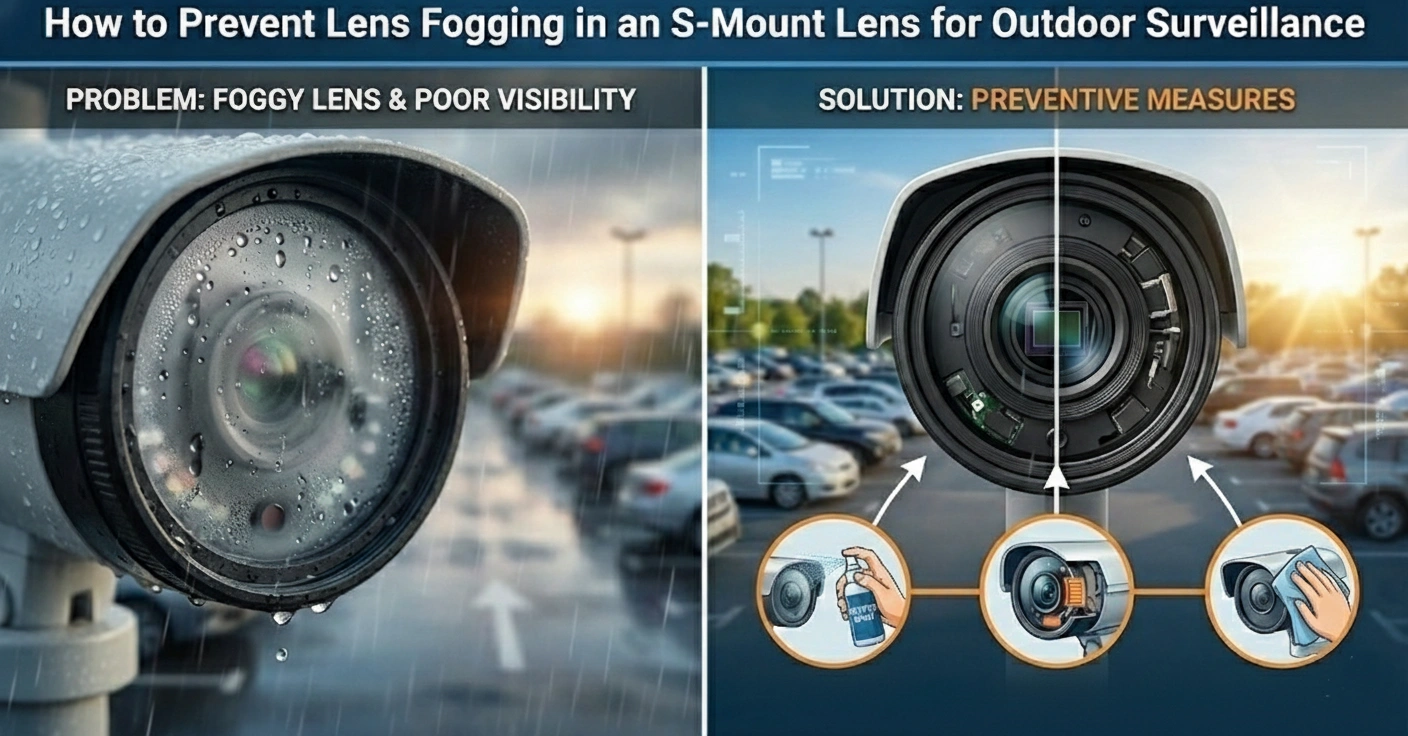
How to Prevent Lens Fogging in an S-Mount Lens for Outdoor Surveillance?
Have you ever encountered a serious situation where you wanted a specific footage of an event but ended up with a blurred video? Furthermore, it is one of those situations that might turn into an uncontrollable debt with big consequences. Whether it’s an indoor kitchen camera or an outdoor camera on a harsh winter night, tucked under chilly weather, a fogged S-moung lens can leave you in the worst possible position.
You don’t need to scratch your head and worry about it! With a few imperative and effective steps, you can prevent this issue from happening again. We are here to provide you with effective tips to keep CCTV board lenses crystal clear and cameras always recording clean footage. Moreover, in this comprehensive guide, we will discuss why your CCTV cameras get blurred or foggy and simple steps to prevent fog on security cameras. Let’s get started!
What are the Potential Causes of S-Mount Lens Security Camera Fogging?
If you have ever noticed that your security camera lenses look misty, foggy, or blurry, you are likely dealing with a buildup of fog. However, understanding why it happens in the first place is the starting point for fixing it and keeping the footage from an M12 lens clean and clear during changing seasons. Furthermore, let’s discuss why security camera lenses get foggy during changing weather:
1. Extreme Daily Temperature Fluctuations (Condensation)
The problems occur when there is a significant temperature change between night and day. For instance, during the evening or early morning hours. The camera lens and its metallic or plastic body cool down faster than the air does. Additionally, the air circulation at this time contains moisture. When this warm, moist air comes into contact with the cold lens, tiny droplets of water form on it. In other words, it gets condensed. It makes the image in the camera blurry and vague.
2. High Humidity and Poor Ventilation
It is because in humid areas, the air is already high in moisture, such as along the coast or during rainy seasons. Thus, it is significant that the camera’s CCTV board lenses should be positioned to limit airflow, such as in a corner, tucked under a roof cover, or in a sheltered garden area, so that moisture cannot escape. Therefore, the air does not circulate, and the moisture remains there. As a result, the lenses often fog up, resulting in unclear images.
3. Worn-out or Insufficient Waterproof Seals
Inside the camera, there are rubber, foam, or silicone stamps that prevent water and moisture from entering. However, over time, this type of seal deteriorates under constant sunlight, UV rays, heat, cold, and weather. When these seals weaken, small gaps form in the camera body. It is where moisture spreads in, creating fog inside the lens.
4. Improper Installation Position
If installed in inappropriate locations, such as under leaking roofs, near sprinklers, or near hot and moist laundry air vents, cameras can be directly exposed to water. It can easily make water leak into the camera. Furthermore, if the camera’s M12 lens is angled upwards, rain and dew can directly collect on the lens. That is why it can keep the lens wet longer, increasing the risk of fogging.
5. Temperature Imbalance (Interior vs. Exterior)
In fact, when the camera is turned on, its internal electronics heat up a bit. Now, in winter or when the outside air is cold, the temperature of the outside medium is typically lower. In simple words, now the inner part of the camera is hot, and the outer air is cold. Likewise, the temperature difference results in condensation inside the lens. That’s why fogging in cameras is more frequent during winter.
Imperative Tips to Prevent Fog on Security Cameras
Fog on security camera lenses is frustrating when you need a particular piece of footage. Nevertheless, here are some simple yet effective steps ensure that your camera security footage stays crisp and clean. Let’s check them out one-by-one:
1. Safeguard your Lenses from Fogging
Just as swimming goggles require antifog spray, the camera lens requires lens-safe antifog spray. It creates a non-visible layer on the lens, preventing the water from sticking and ensuring it slides right off. Also, it helps prevent the fogging effect from sticking to the lens, ensuring the video remains clear. Antifog spray should be applied every few weeks, especially when the weather is moist. Ensure the S-mount lens is cleaned with a microfiber cloth before application, as this may cause streaks and stains.
2. Install Smart Security Cameras Meant for Foggy Conditions
Currently, there are also top-of-the-line security cameras marketed as fog-fighting cameras. To be more specific, these devices are sealed units with anti-fog glass and even temperature control. Such units are not distorted by sudden temperature shifts. When you are also frustrated about having to clean and maintain them frequently, investing in a top-notch outdoor security camera is a big help.
3. Keep the Camera Dry From the Inside – Check the seals
As we all know, the fog isn’t limited to the lens. There may be times when water gets into the camera as well. In this regard, if the seals on your camera are loose, damaged, or missing in any area, water may enter the camera, causing fogging. Make it a point to check the lens, the camera base, and the lens joints every now and then. It may help you identify any issues.
4. Clean the Lens and Housing Regularly
Over time, dust, water spots, and even spider webs may form on it, gradually degrading image quality. Clean the M12 lens carefully with a microfiber cloth every 1 to 2 weeks. The camera’s outer casing can be cleaned with a little soap and a moist cloth. A clean camera is always better performing.
5. Avoid Installing the Camera in the Wrong Location
The cameras’ positioning is significant as well. It is best to avoid positioning the camera in areas with dripping water, such as rooftops or near air ducts, as well as in consistently wet areas. There is greater humidity and air circulation in such areas, which can lead to condensation forming more quickly.
It’s Time to Wrap Things Up!
We understand that it is frustrating to encountering security surveillance camera that keeps fogging up rapidly. It’s like putting your safety on the edge of blurry lenses. Blurred lenses mean missed details and unclear footage when you need them most. Likewise, maintaining reliable, clear CCTV footage is key to the effectiveness of any security surveillance system, and learning how to prevent lens fog is an imperative part of that effort.
Furthermore, if you are looking for a reliable, advanced S-mount lens manufacturer that offers fog-free lenses, your search ends here! At Superior CCTV, our professional and experienced team ensures that advanced methods are incorporated into lens design to provide end-to-end security surveillance. So, what are you waiting for? It’s time to connect with a professional to prevent these serious issues that have the potential to escalate.
Frequently Asked Questions
Weatherproof cameras, anti-fogging coatings, and silica gel packs can be used to absorb moisture inside the housing, preventing fog on the lens of your security camera. Sealing the camera housing properly will also help reduce condensation issues.
Anti-fog sprays or wipes may be applied to the camera lens to act as a barrier against condensation. Additionally, these are easy to apply, hassle-free, and help provide a clear view, even in very humid conditions.
Most anti-fog sprays are safe for use on camera lenses, though it is important to select products designed for optics. Always follow the manufacturer’s instructions to avoid potential damage.
Yes, it’s perfectly safe to put silica gel packs inside the camera casing for absorption of excess moisture. Likewise, just make sure they do not touch the camera’s inner components, as that could cause damage.